Check where your team still spends time.
Track completed processes, automation rate and failures. See what still needs intervention, then review the causes with the process owner. Each view respects the viewer’s permissions.
Operating Insights connects process results to the underlying records, so your team can see what changed and decide what to improve next.
Cross-channel inventory balancing
Inventory example · 18 stores, 3 DCs and DTC
Replenishments by lane
Automation live from 15 Jun
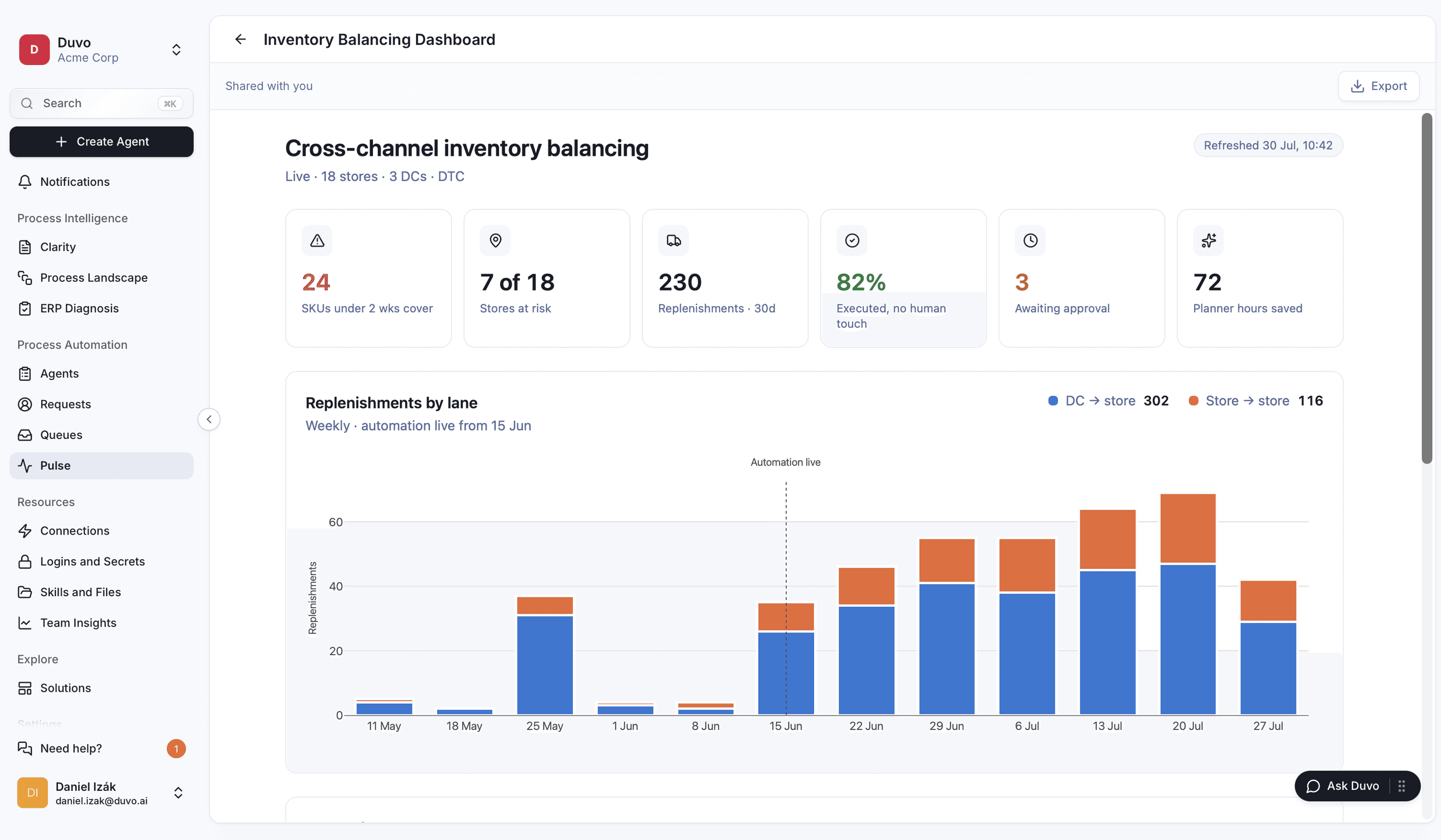
Track completed processes, automation rate and failures. See what still needs intervention, then review the causes with the process owner. Each view respects the viewer’s permissions.
Filter by reason or status and open the underlying process records to see what drives a number. Share a read-only link; each viewer keeps their own data permissions.
Ask for open cases over the last seven days, then refine the chart or question its calculation in chat. Each edit creates a revision you can preview or restore.
With admin-granted organisation access, compare adoption and reliability across teams while respecting role-based permissions. Open the underlying process records to investigate a change.
Operating Insights supports Verify and Learn in the Duvo loop. Your process owner reviews the results and approves changes to rules or thresholds before Automation uses them.
I can’t even count the days I’ve spent on this. It was days of work: different people involved, all sequential. Now it’s reduced to seconds, down to one Duvo dashboard.
Operations / process-excellence lead
Pilulka
We actually built an agent to monitor an agent’s performance, just to extract the data. With Duvo you’re working in the same environment, on the same data that’s already there.
Operations / process-excellence lead
Pilulka