An invoice is overdue for approval. The ERP can show when it arrived and when it was released. The explanation may be in an email asking for a missing receipt, a spreadsheet maintained by AP, or a decision nobody recorded.
If you lead operations, shared services or transformation, you need enough evidence to decide what to change. Sometimes that means measuring thousands of transactions. Sometimes it means asking someone to show you how they resolve one difficult case. Often you need both.
Process discovery is the broader activity of understanding how a process runs. Process mining is one way to do it, using recorded events. In software buying conversations, “process discovery” also describes tools that build maps from walkthroughs, interviews, screens and documents. This guide compares those approaches so you can choose the right starting point.
What each method can tell you
Event-log process mining reconstructs paths from records of activities. Those records commonly connect a case, an activity and a timestamp. It can help quantify variants, waiting time and repeated steps across the recorded population. Its coverage depends on the systems and events included. SAP Signavio describes the data used in process mining.
Task mining examines captured desktop activity. It can reveal application switching and repeated manual actions within the captured sessions. Coverage depends on which people, applications and periods are included, and how those activities are connected to business cases.
Guided discovery uses people’s explanations, screen walkthroughs and documents to build a process account. It can explain a decision or handoff that is hard to interpret from a log. A participant can also forget an exception or describe the approved procedure instead of current practice. Review is part of the work.
| Method | Strongest question | Evidence needed | Limit to check |
|---|---|---|---|
| Event-log process mining | Where do recorded cases wait, repeat or follow different routes? | Relevant system events that can be connected to cases | Missing activities, inconsistent timestamps and gaps between systems |
| Task mining | Which desktop actions make a task slow or repetitive? | Authorized activity capture for relevant roles and applications | Uncaptured work, sampling bias and sensitive screen content |
| Guided walkthroughs and interviews | Why does someone take this step, and what happens when it fails? | Participants who perform the process, examples and supporting records | Incomplete recall, conflicting accounts and untested assumptions |
| Document review | What procedure or control is supposed to apply? | Current instructions, policies and existing maps | Whether the document reflects what people actually do |
Tools may combine several methods. Evaluate the evidence they produce for your process rather than relying on the category on their homepage.
Start with the question your team cannot answer
Use process mining when the question is about patterns at scale. If you need to compare invoice cycle times across legal entities, or measure how often an approval repeats, first assess the available event data. Existing connectors and useful logs may make this a sensible starting point. You do not need to discard an investment that already answers the question.
Use guided discovery when the missing detail is how or why a step happens. If the process crosses SAP, an inbox and a supplier portal, ask the people handling it to walk through the handoffs. Discovery can begin without an ERP integration, using material participants are authorized to share.
Consider task mining when the desktop sequence is the question. A team may know why it performs a task but struggle to explain the repeated copying and application switching within it. Agree the capture scope, access and retention with the people responsible before recording begins.
A walkthrough can establish that a workaround exists. It cannot establish how often the workaround occurs across the company. For that, check transaction records, a suitable sample or another measurable source. Keep “one participant reported this” separate from “we measured this across all relevant cases.”
Follow one invoice through the gaps
Consider an illustrative AP case. An invoice is blocked because a goods receipt is missing. AP asks the receiving team for confirmation by email, tracks the response in a spreadsheet, and releases the invoice once the issue is resolved.
Event data may show the block and release, allowing you to measure elapsed time across similar cases. A walkthrough can explain who sends the email, how the recipient is chosen and what AP does when nobody replies. Desktop capture may help examine the manual preparation of the tracking sheet.
The next decision depends on what you learn. The team might clarify receiving ownership, improve the reminder process or remove duplicate data entry. Automation is one possible response; a clearer responsibility may be enough.
This Duvo Clarity invoice-reconciliation map shows how review decisions and supplier follow-up can be represented. It is a product example, separate from the illustrative missing-receipt case above.
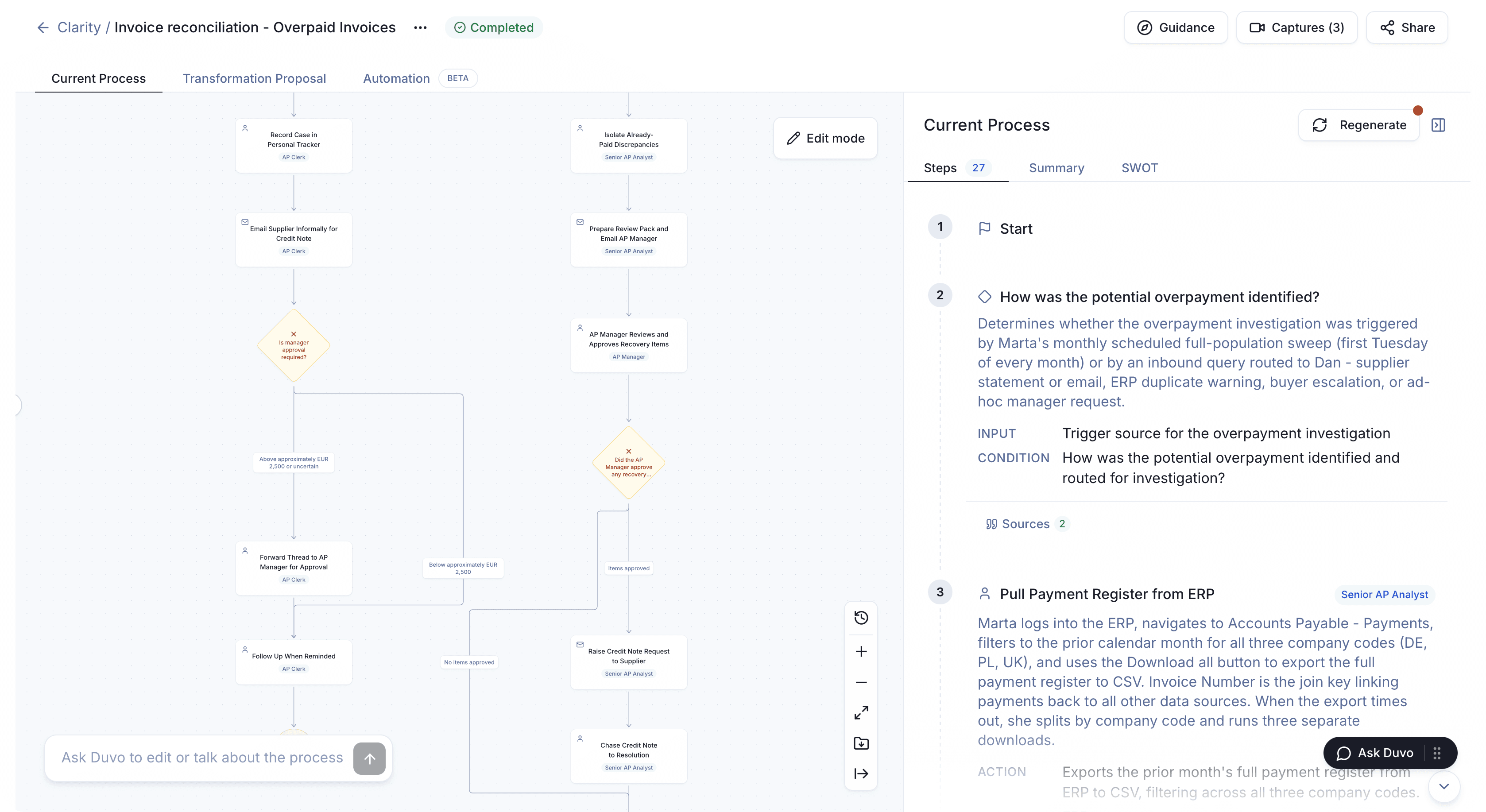
Open the process map at full size.
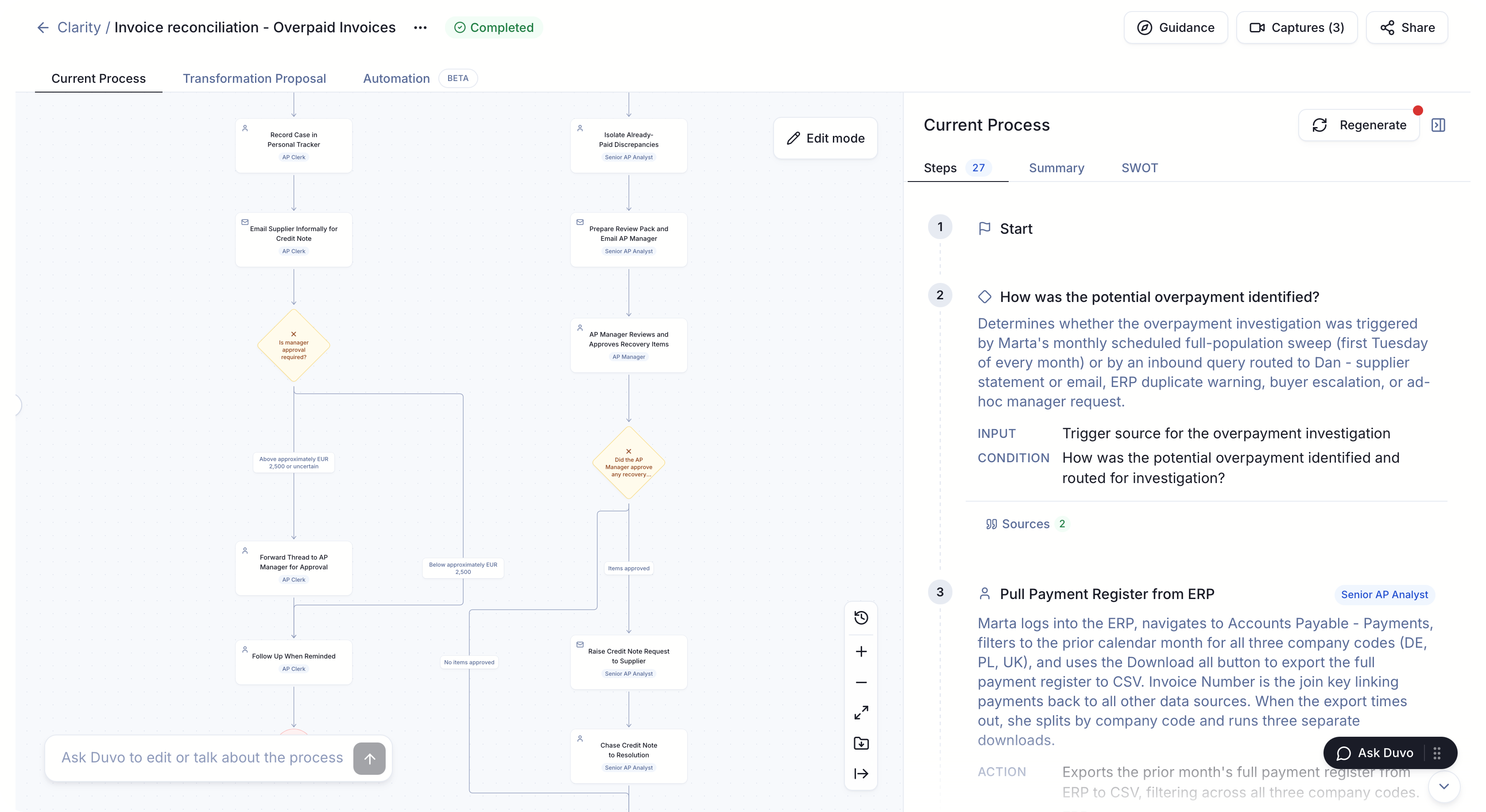
Check the evidence behind the diagram
A process owner should be able to inspect a step and understand its trigger, input and decision. In this Clarity step record, a potential overpayment investigation has a description and source references that a reviewer can inspect.
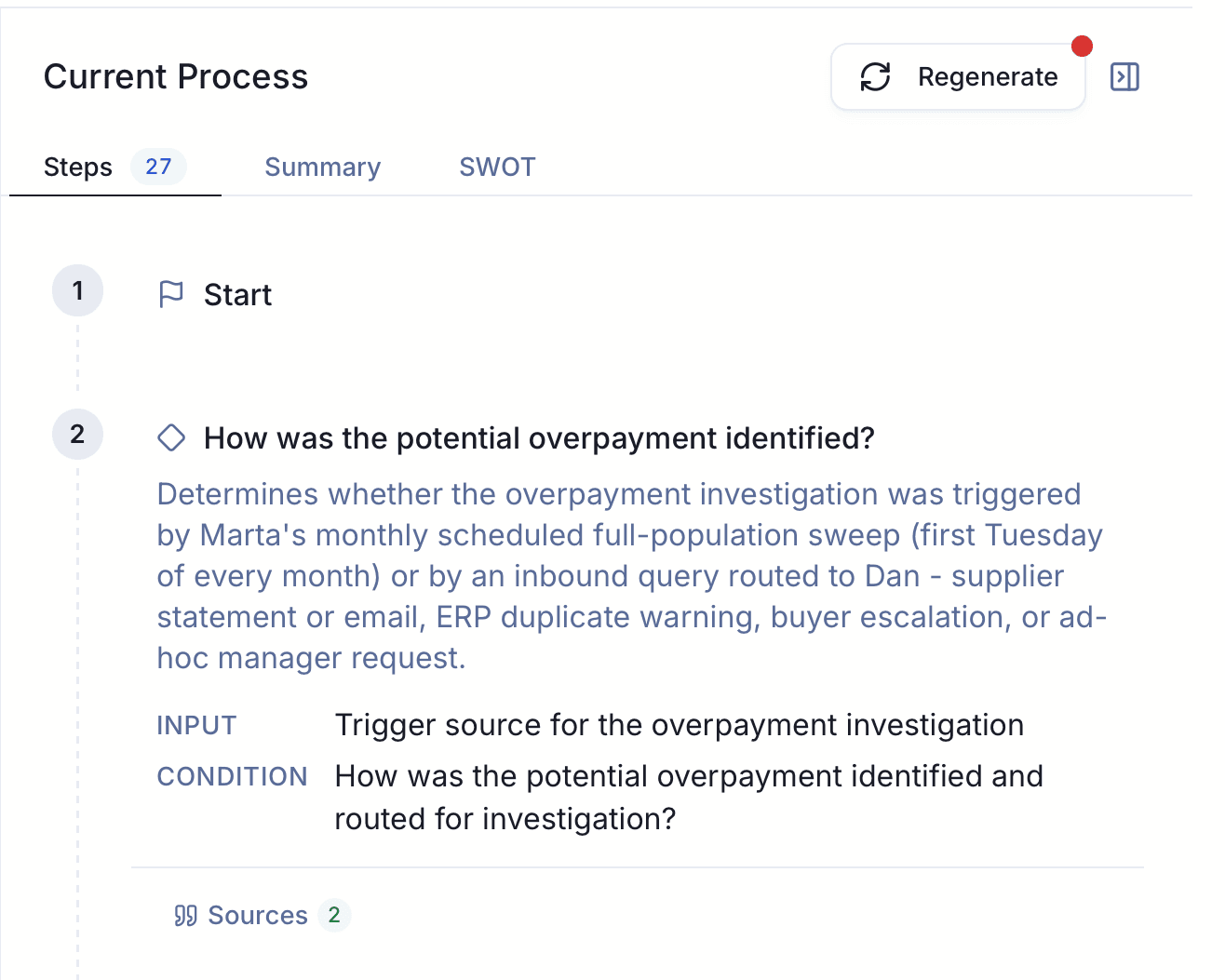
Test the map against an ordinary case and an exception. Ask a second participant to follow a handoff. Where their account differs, leave a question for the owner to resolve. A source reference makes a description traceable; it does not make that description complete or correct automatically.
For a multi-site process, include the sites or roles whose differences matter to the decision. Record what was sampled and what remains unverified. Assign someone to review the map when the process changes.
What should you leave with?
Agree the output before choosing the tool. For a shared-services team, that could be a reviewed map of supplier follow-up, a named owner for stalled claims and a way to measure the remaining backlog. For a transformation team, it could be an explanation of local variants and the evidence needed to decide which ones to standardize.
Ask for the process boundary, participants and evidence sources alongside the map. Keep unresolved questions visible. If the output supports a numerical claim, check its population, timeframe and calculation. If it supports a change, name who will approve that change and how the team will assess the result.
A map is useful documentation. It does not, by itself, deploy automation, authorize system access or keep itself current.
Where Duvo Clarity fits
Duvo Clarity uses guided screen walkthroughs, AI interviews and documents to prepare process maps and improvement recommendations. It is worth evaluating when important process knowledge sits with people and the process crosses existing systems. Your team reviews the result and resolves missing or conflicting details.
Use that reviewed output for improvement, training or migration preparation. If you choose automation later, agree its production scope, access and controls separately. Where you already use process mining, use its measurements to test the scale of issues uncovered in discovery.
For evaluation questions and a practical demo brief, read how to choose process discovery software. If your next decision concerns SAP, see how to prepare for fit-to-standard workshops.
Duvo’s free process discovery offer covers one business process. Bring its owner and a question the current documentation cannot answer. You keep the map and recommendations, with no automation commitment.